

 Gear×1,000
Legendary Sprinkler
Team-priced · per 1,000
Sell items · Grow a Garden 2
Turn your spare inventory into cash. Find your items, add your quantities and watch your cashout list total grow.
Quick answer: Avalor Gaming LLC is a registered US company that buys Grow a Garden 2 pets, seeds, gears and props directly, with a $5 minimum list and no public marketplace listing. Build your list on this page, agree the checked price, trade the items in game and get paid in USDT, LTC or USDC on terms agreed before each deal.
No seller account
Just send your item listNo listing fees
Team sends your offerOne direct request
No public listing neededPick what you have in the game
We check the items with you
USDT, LTC or USDC as agreed
Tap Add item for everything you have. Your cash total builds in your cashout list.
Gear×1,000Team-priced · per 1,000
 Pet×1,000
Team-priced · per 1,000
 Pet×1,000
Team-priced · per 1,000
 Seed
Team-priced
 Crate×1,000
Team-priced · per 1,000
 Crate×1,000
Team-priced · per 1,000
 Pet×1,000
Team-priced · per 1,000
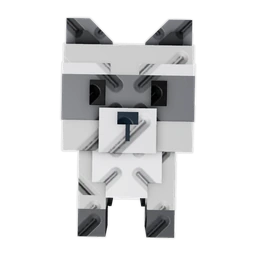 Pet×1,000
Team-priced · per 1,000
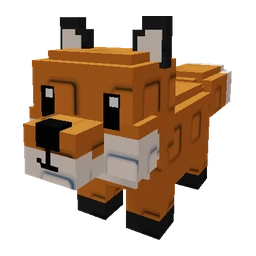 Pet×1,000
Team-priced · per 1,000
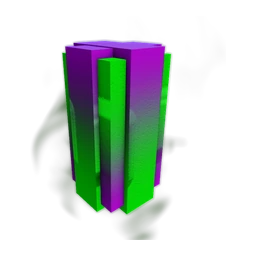 Seed×1,000
Team-priced · per 1,000
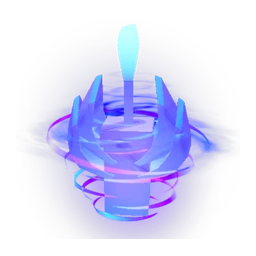 Seed×1,000
Team-priced · per 1,000
 Seed×1,000
Team-priced · per 1,000
 Seed×1,000
Team-priced · per 1,000
 Seed×1,000
Team-priced · per 1,000
 Pet×1,000
Team-priced · per 1,000
 Pet×1,000
Team-priced · per 1,000
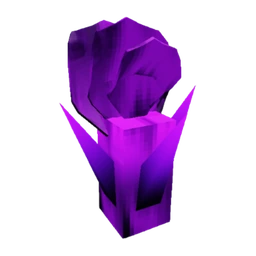 Seed×1,000
Team-priced · per 1,000
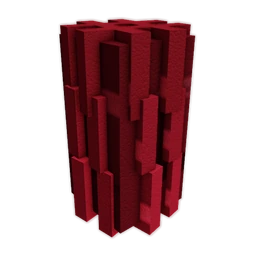 Seed×1,000
Team-priced · per 1,000
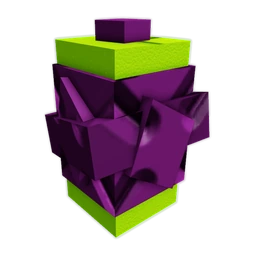 Seed×1,000
Team-priced · per 1,000
 Seed×1,000
Team-priced · per 1,000
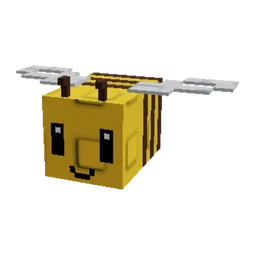 Pet×1,000
Team-priced · per 1,000
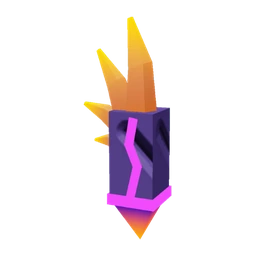 Seed×1,000
Team-priced · per 1,000
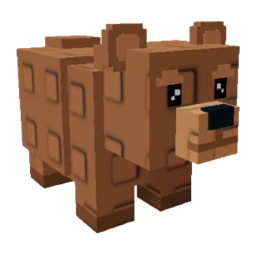 Pet×1,000
Team-priced · per 1,000
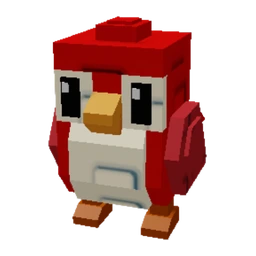 Pet×1,000
Team-priced · per 1,000
Prices follow live market listings and are confirmed with you in writing before anything is traded. Unavailable artwork is marked rather than replaced with a different item. Item artwork: Grow a Garden 2 Wiki.
Before you sell
Search the catalogue for each Grow a Garden 2 item you own, add how many you can trade and watch your cash total build. Send the list, our team checks it against live market data and confirms the price, then you trade the agreed items to Avalor in game. Payment goes out in USDT, LTC or USDC, as agreed before the trade. No public listing and no waiting for a random buyer.
A Grow a Garden 2 value list shows how items compare in trades. A cash price is what a buyer actually pays today after the costs of reselling. Avalor's prices come from recently scanned market data, and the price is locked once our team has checked the exact item names and versions in your ticket, before you trade.
A full inventory is only useful for a sale when the buyer knows exactly what is available. This Grow a Garden 2 desk lets you search the current catalogue, add matching items and send a single organised cashout list to Avalor. You do not need to create an Avalor account or publish a marketplace listing. Avalor reviews your items as a potential direct buyer. Adding something to a cashout list does not reserve a price or guarantee a purchase, so keep the quantities and item names accurate.
Grow a Garden 2 is the game covered by this desk. Do not assume an item from another similarly named game has the same value or can be transferred in the same way. Use the exact in-game name and identify any variant when contacting the team. Seeds, pets, produce or equipment should be described as the items they actually are, not treated as equivalent units. If the catalogue does not show your item, include its name and details in a manual request rather than choosing a different item to stand in for it.
Small per-unit prices can look very different when multiplied across a large inventory. Enter the quantity you currently hold and can transfer, not a future harvest or expected supply. A large quantity may need a separate review of demand, stock levels and transfer arrangements; the displayed per-unit price does not mean Avalor will buy unlimited units at that rate. The minimum cash basket is $5, and the accepted quantity is agreed by the team.
The catalogue uses recently scanned market data to generate Avalor's current cash price. Marketplace asking prices are not evidence of completed sales, and a displayed rate can change as listings and supply change. Item variants and incomplete descriptions can also affect the result. The price is locked when we check your items in the trade. If a price seems wrong, explain the difference and provide details rather than relying on the number alone.
Your cashout list carries the item names and quantities into the normal seller form. Check the list there and add anything the team should know, including variants or a larger inventory that did not fit. Never share your Roblox password, recovery codes or login cookies. We buy Roblox items only, not Roblox accounts. Wait for the team to confirm what is accepted before transferring items. One-time sellers are paid instantly for items and accounts in most cases. If an account needs extra security checks, payment may be held for 48–72 hours. Long-term sellers agree settlement terms in writing. Use only the official contact links on this site.
Avalor buys your items directly. No public listing and no waiting for a random buyer.
Ask on DiscordRare and event pets from the catalogue
Each pet is priced on its own; add the number you can trade.
Rare and limited seeds
Small per-unit prices add up in bulk.
Tradeable gears and garden props
Only items you can transfer in game.
Large stacks of one item
Send the full quantity; we confirm how many we take.
See how items compare on the live Grow a Garden 2 value tiers, or read selling in-game currency and items, explained.
| Marketplaces | Avalor | |
|---|---|---|
| Who buys | Unknown individual buyers | Avalor Gaming LLC, a registered US company |
| Setup | Seller account and a public listing | No account, no public listing |
| Waiting | Wait for a buyer to find your listing | Our team reviews your list and replies with an offer |
| Fees | Commission and withdrawal fees | One direct cash offer, no listing fees |
| Scam risk | Fake buyers, fake middlemen, payment reversals | Terms agreed before each deal; we never ask for passwords |
More on this in direct buyer vs. marketplace and avoiding chargebacks and fake middlemen.
Also have Robux? Sell Robux to Avalor · Other Roblox item games
You sell to Avalor Gaming LLC, a company registered in Wyoming, USA (75 E 3rd St, Ste 7, Sheridan, WY 82801, USA), founded by Hammad Mughal. About Avalor · Read reviews on Trustpilot · Terms · Privacy
Avalor is independent and not affiliated with, endorsed by or sponsored by Roblox Corporation or the Grow a Garden 2 developer or publisher.